
el programa Zune ya no me abre..!!?? que hago?
- Inicie sesión o regístrese para enviar comentarios
18 Marzo, 2008 - 12:53


Ayer despues de 10000000 intentos fallidos pude instalar el software de zune...esta mañana me encuentro con la sorpresa de que el programa no me abre..que puedo hacer??
15 Mayo, 2008 - 13:34
#2
Lo mejor es instalar zune desde windows limpio, o sea si instalas windows después instalas zune después los demás bichos antibichos

24 Mayo, 2008 - 12:27
#3
Tengo problemas para instalar lo que es el software y aparte de eso lo descargo pero no me lsae nada solo me sale el icono de zune lo clikeo abrir y nada aparte de eso si no descargo el programa no lo puedo utilizar kisiera q alguien me ayudara en eto por favor ya k me lo regalaron y no puedo aser nada de hecho la competencia slae mejor pero me gusta el zune q hago admeas ese link para descargar el software ya lo hice pero sigue en lo mismo no puedo usar el software aunk se descargue necesito much ayuda plis.::::
13 Agosto, 2010 - 01:31
#4
tengo un zune clasico de 80 gb pero ya esta viejito y compre el touch pero no me lo reconoce el sofware ya desistale el sofware y luego lo volvi a instalar pero nada solo me lo reconoce la maquina y me sale que reinicie la maquina lo hago pero no pasa nada estoy desesperada amava la marca zune que desprecie comprar un ipod pero estoy muy preocupada xq no lo puedo activar y no quiero perder mi dinero en una mala compra ayudenmen porfa porfa urgente
14 Agosto, 2010 - 12:44
#5
tingui21 segura que tienes la actualizacion mas reciente por que si no es asi no creo que lo pedas sincronizar,
17 Agosto, 2010 - 20:50
#6

Estan instalados los drivers??


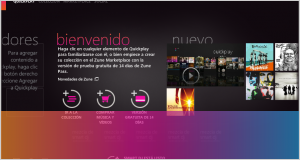

instala de esta forma....si no entiendes enviame un email a
TRY INSTALLING THIS WAY:
Remove or disable any adware program like Spybot or Ad-aware.
Disable any Firewall like ZoneAlarm and such. Leave the Windows Firewall on.
Disable any virus protection like Norton or McAffee
Uninstall the zune software from your PC and remove any reference of *Zune* from your registry.
Some registry cleaning tools here: http://zunetips.wordpress.com/2008/01/14/registry-file-cleanup/#more-105
Use Unzoone *IF* necessary.
There is an utility on MS site that can help you in cleaning your computer. Windows Clean.
http://support.microsoft.com/kb/290301
Update your windows FIRST
Go to www.zune.net/setup and download the full Zune XP package
(if the Zune site doesnt work for you, try this www.microsoft.com link:
http://tinyurl.com/2yn9wa )
Install it.
* if the installation goes wrong, run the big zune-XXX.msi file under the packages folder, extracted into the zunexp folder. use the 32bit version
After the installation finishes, plug your Zune and update it going into Device > Settings > Device Update.
Detailed install using the MSI.
1. Download ZunePackage_2.1.exe (you did already)
2. Extract ZunePackage_2.1.exe
3. Go to x86\packages folder under the new zunexp folder
4. Run dotnetfx.exe
5. Run wmfdist11-windowsxp-x86-enu.exe
6. Run windowsxp-kb915865-v11-x86-enu.exe
7. Run zune-x86.msi
Try the detailed MSI install. Later.
#1 Black Box (Panama)